iPhone and iPadIn preparationThe App Store requires an organization accountDetails
Android phone or tabletAvailable nowUniversal APK, Android 8 and newer · also runs on ChromeOSDownload
macOSIn preparationComes together with the iPhone versionDetails
Windows 10 and 11Available now64-bit installer, no admin rights neededDownload
LinuxPlannedDebian and Ubuntu come first, then Fedora, AppImage and OpenWrt routersDetails
Android TV and Google TVAvailable nowSame APK, installed over the networkDownload
A VPN that never leaves you without internet
Windows 10/11 and Android · 15 protocols · no traffic logs · interface in 34 languages
Demo data: the interface is real, but the prototype has no VPN engine — the connection, servers, speed and traffic are examples. The interactive prototype is for signed-in users only.
Businka on your phone
The same app as on the computer — the same bead, the same keys, the same protection. Swipe through its screens.
One bead — and you are protected
A tap on the bead connects. Speed and traffic at the top; below — Proxy or TUN mode, the Panic button and full protection: kill-switch plus DNS interception.
-
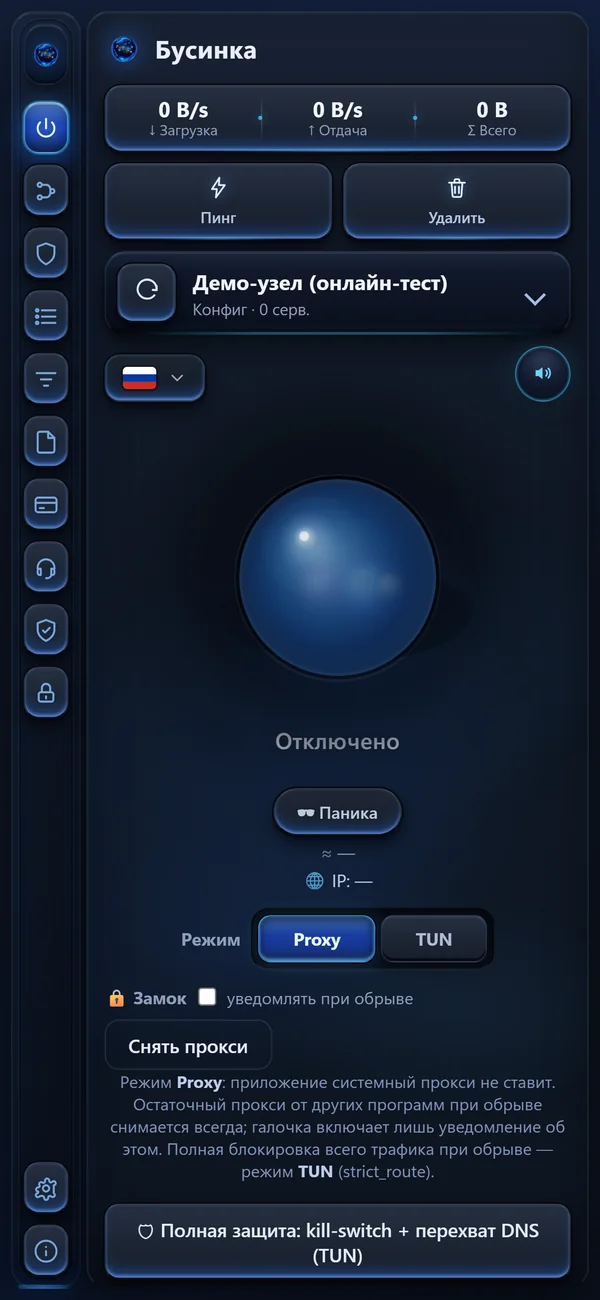
One bead — and you are protected
A tap on the bead connects. Speed and traffic at the top; below — Proxy or TUN mode, the Panic button and full protection: kill-switch plus DNS interception.
-
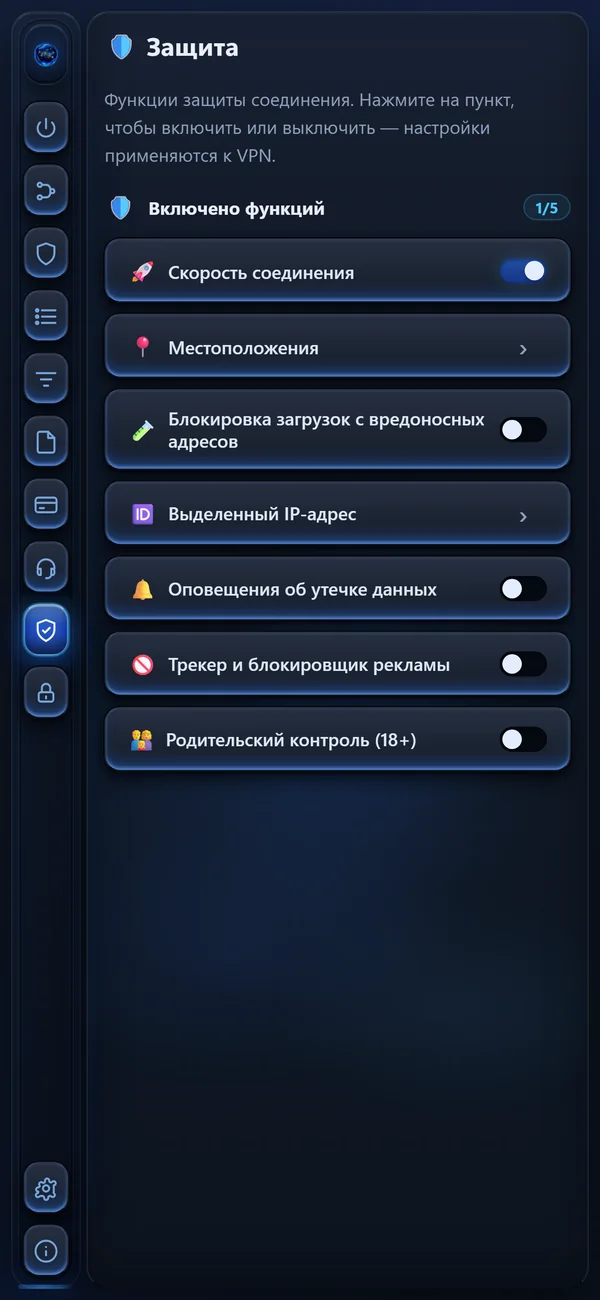
Connection protection
Each function turns on with one tap and applies to the VPN at once: connection speed, locations, blocking downloads from malicious addresses, a dedicated IP address.
-
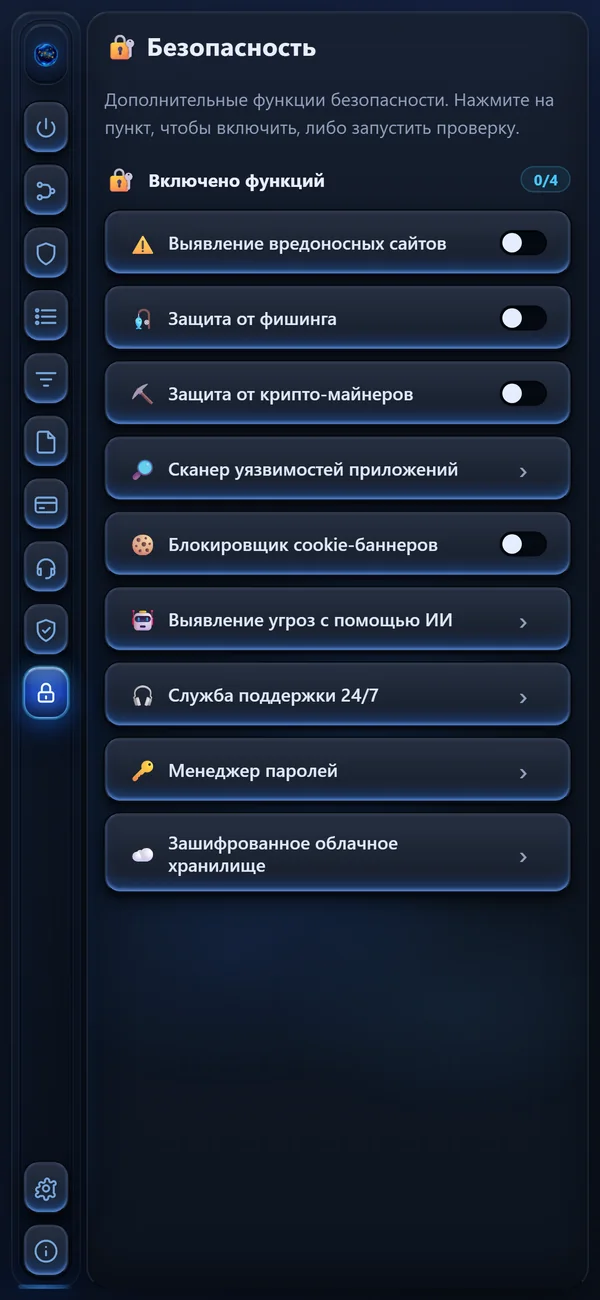
Extra security
Detection of malicious sites, protection from phishing and crypto-miners, an app vulnerability scanner — each one switched on separately.
-
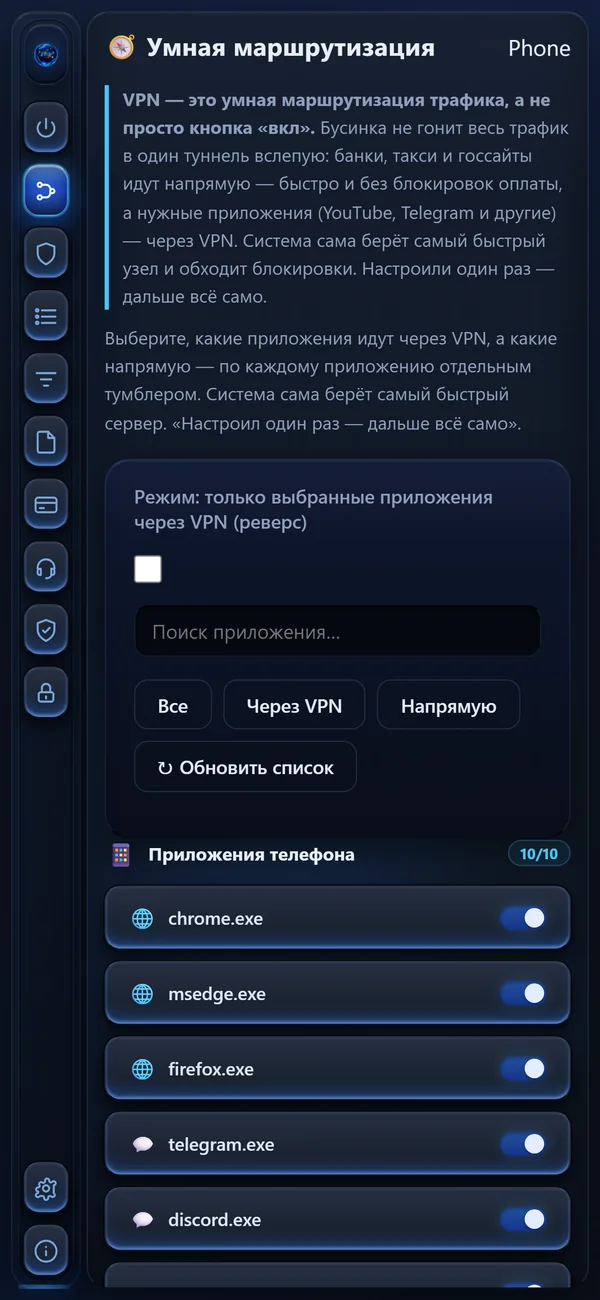
Smart routing
Not all traffic goes blindly into one tunnel: banks, taxis and government sites go directly — fast and without payment blocks — and the apps you need go through the VPN.
-
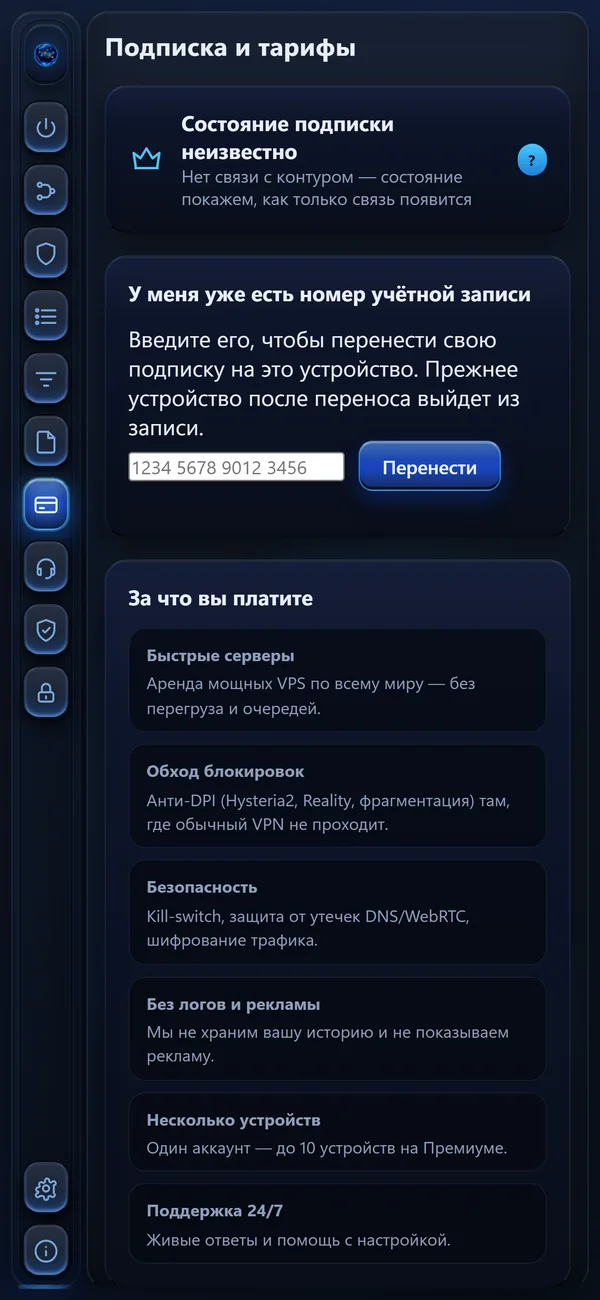
Subscription and plans
The subscription state and moving it to a new device by account number; the previous device leaves the account after the move.
-
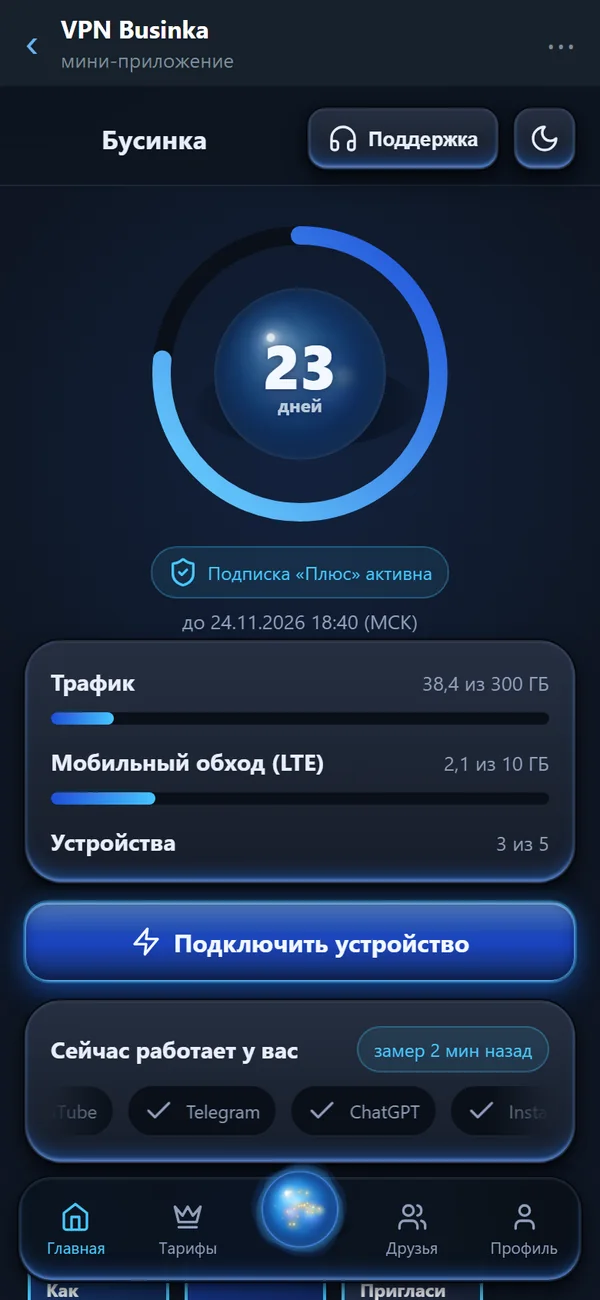
Days, traffic and devices at a glance
The ring shows how many days of the subscription are left; below — total and mobile traffic, devices and a button to connect a new one.
-
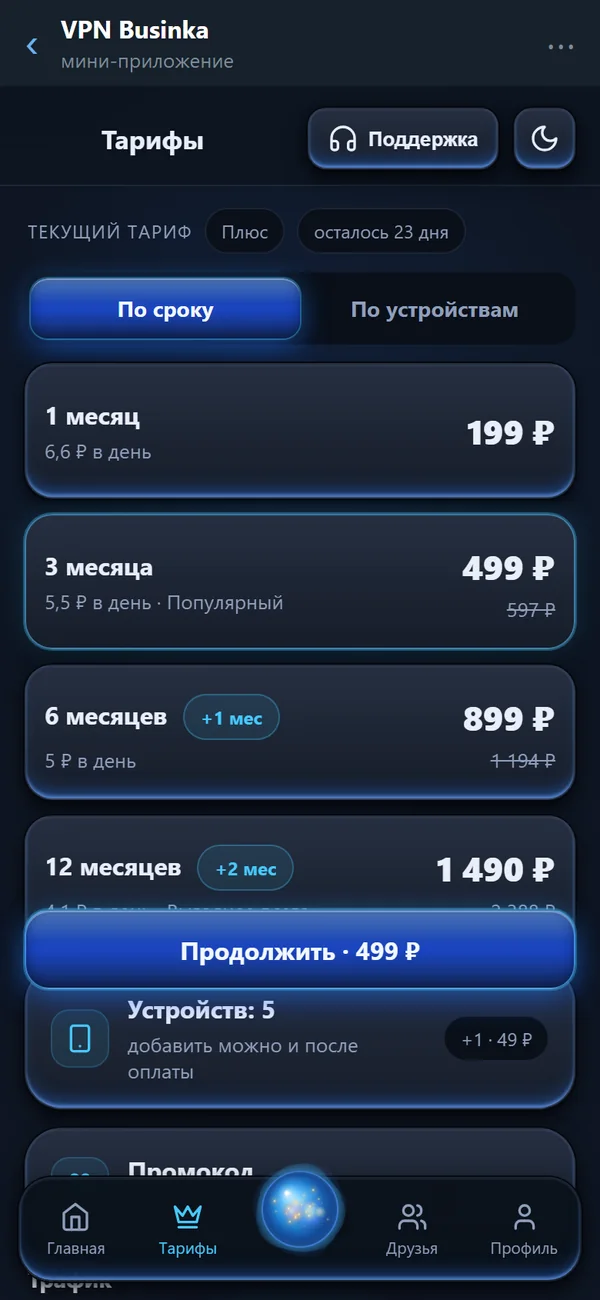
Plans by term or by devices
From one month to a year with the price per day; longer terms add months as a gift. The number of devices is chosen right there.
-
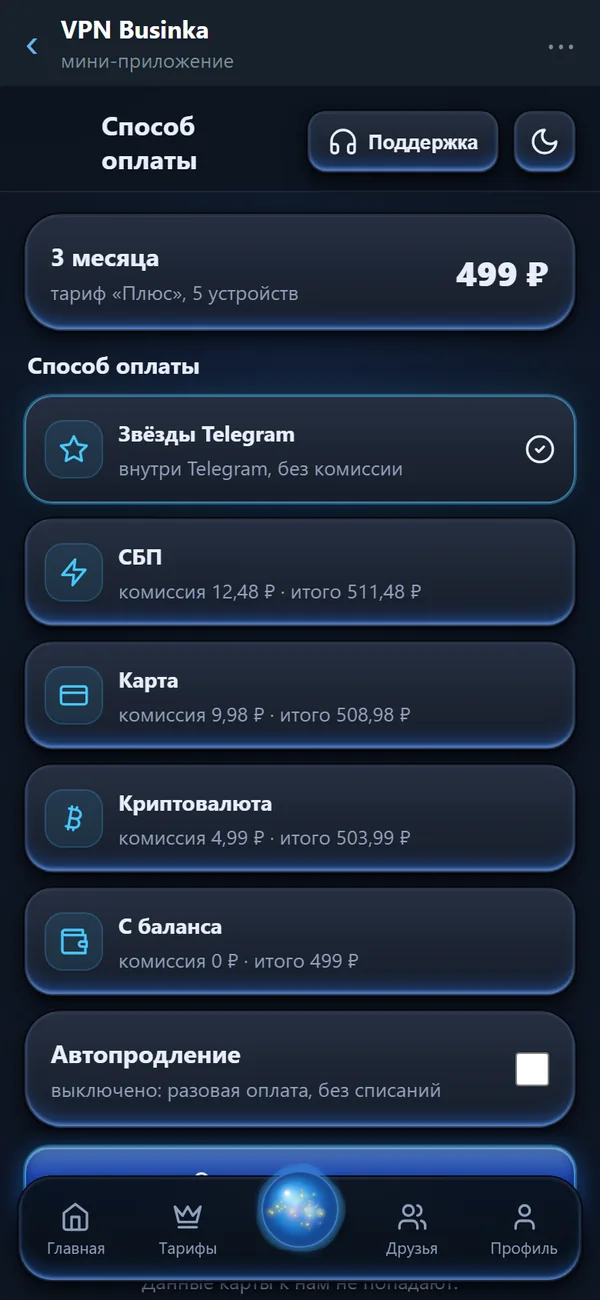
Payment with the fee shown upfront
Telegram Stars, SBP, card, cryptocurrency or balance — each method shows its fee and the total before you pay; auto-renewal is off.
-
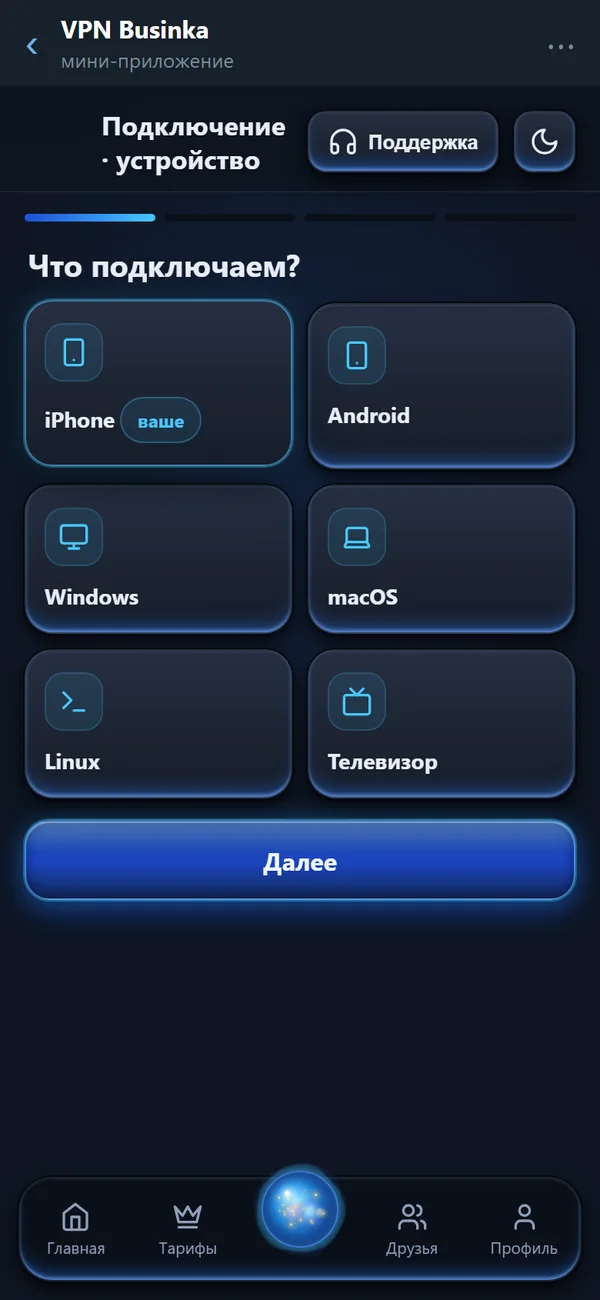
Connecting in four steps
Choose the device — iPhone, Android, Windows, macOS, Linux or a TV — and the wizard guides you through the app, the link and the check.
-
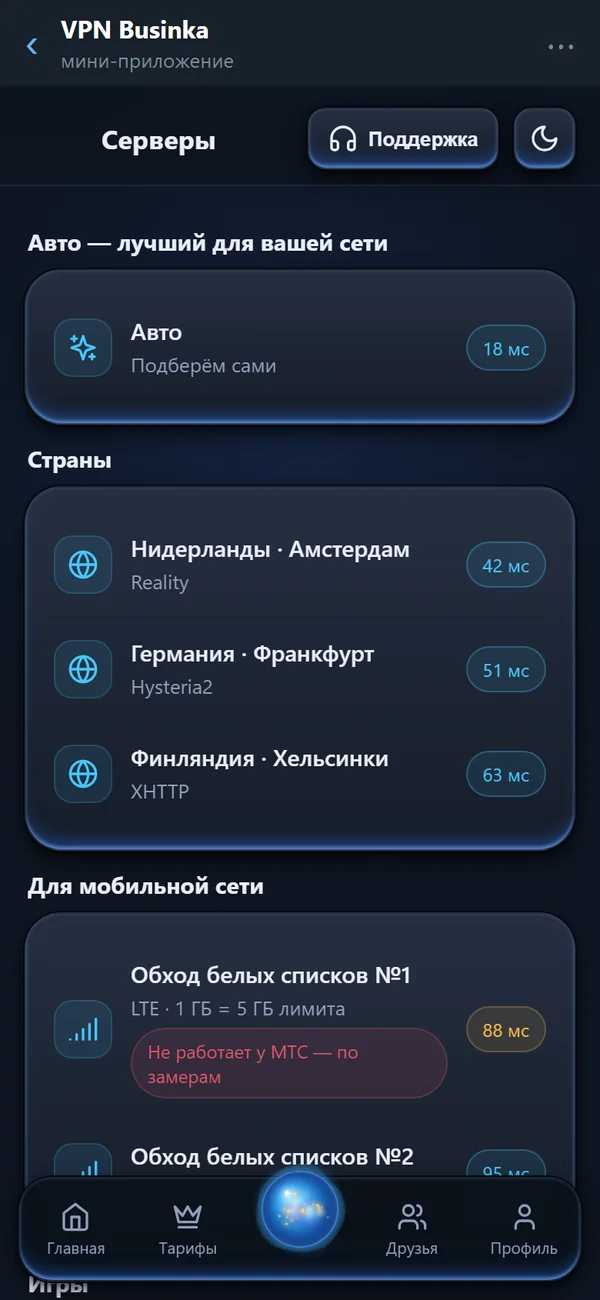
Servers for your network
“Auto” picks the best one for your network; countries are listed with their latency; mobile networks get their own separate nodes.
-
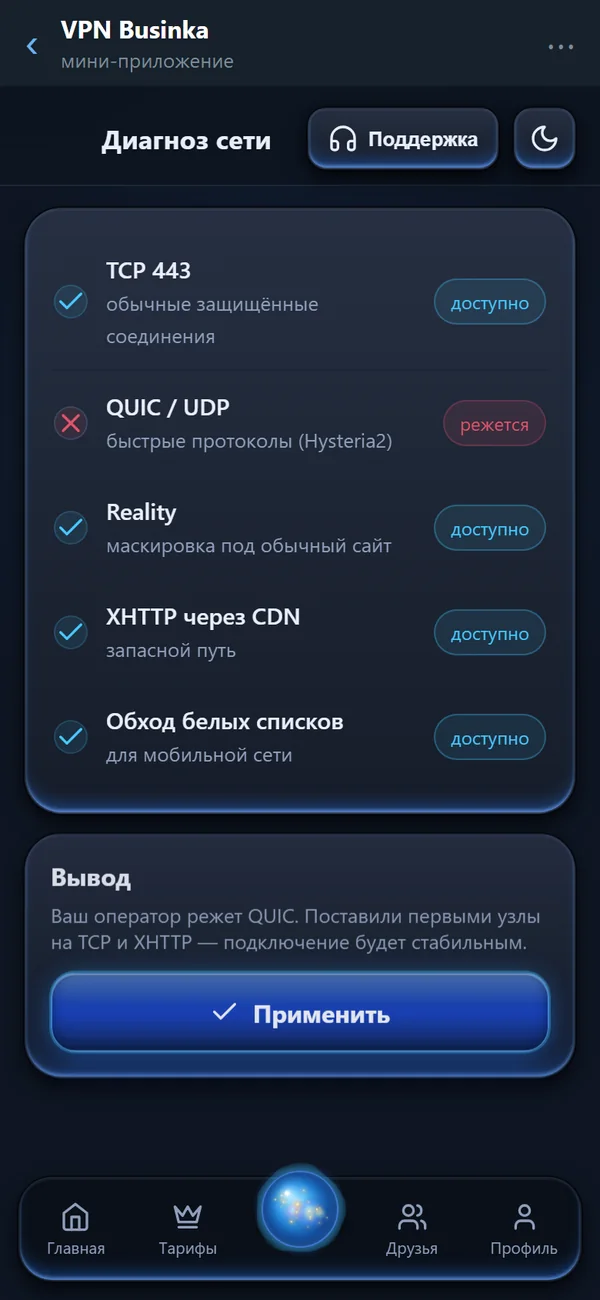
Network diagnosis with a plain verdict
Checks TCP 443, QUIC, Reality, XHTTP via CDN and the mobile-network nodes one by one, says what your operator blocks and offers a fix in one tap.
-
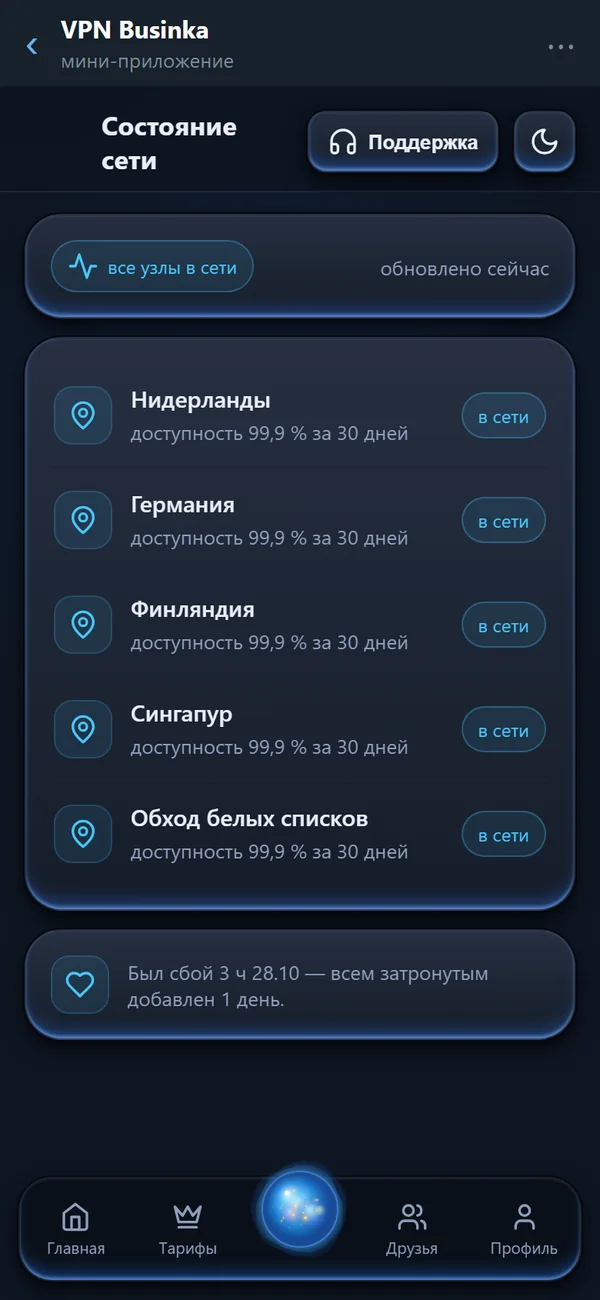
Honest network status
The availability of every node over 30 days; after an outage, everyone affected gets days added automatically.
-
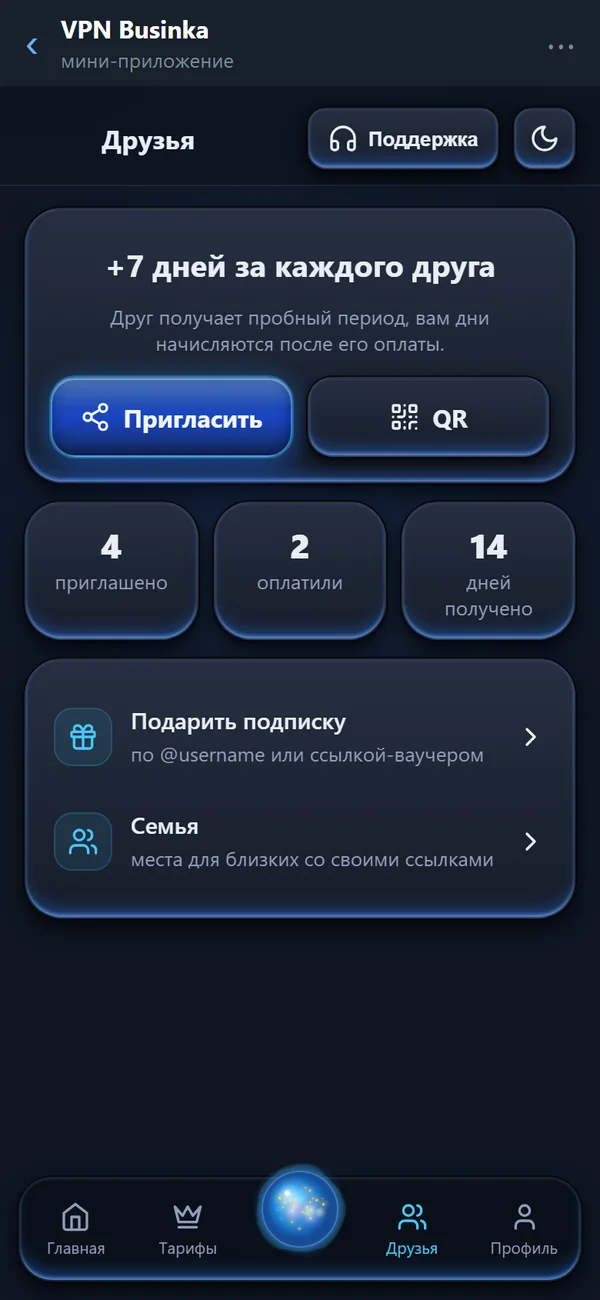
+7 days for every friend
Invite by link or QR code; the counters show who was invited, who paid and how many days you received.
-
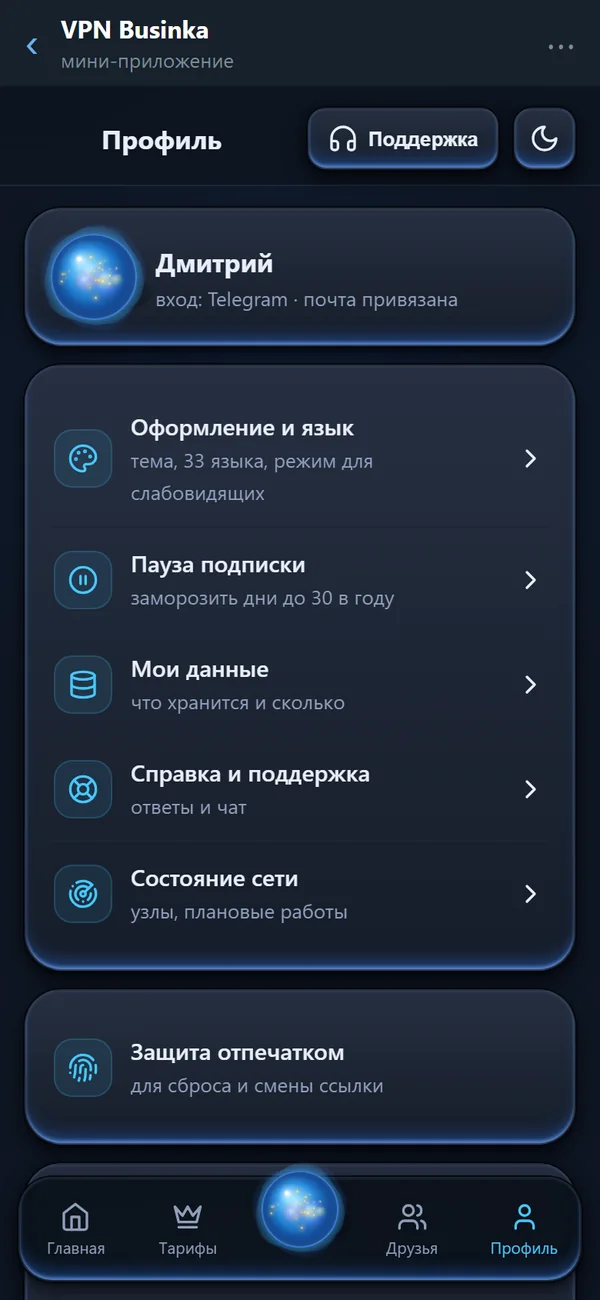
Profile and settings
Appearance and language, pausing the subscription, your data, help and support, network status and fingerprint protection.
Businka in Telegram
A mini-app right inside the chat: subscription, payment, connection wizard, servers and network diagnosis. Swipe through its screens.
- Free internet in a minute
- 15 protocols and nodes for mobile networks
- Connected in three taps
- An outage is compensated with days
Days, traffic and devices at a glance
The ring shows how many days of the subscription are left; below — total and mobile traffic, devices and a button to connect a new one.
Demo data: payments, the subscription and the bot are not connected yet — the bot account is not open yet. Access opens after sign-in
15 protocols in one app
This list is collected from the engine code while this page is built: if a protocol disappears from the app, it disappears from here.
What happens when a node fails
Connects by the best path
The app picks a protocol that passes in your network; two engines stay ready at once.
The node stops answering
A provider blocks it or the server goes down. Many clients keep sending traffic into the dead tunnel — and the internet disappears.
The internet stays
Businka moves to a working node, and if there is none, removes the tunnel instead of turning the failure into a wall. The hard kill-switch exists, but you turn it on yourself.
What we do not keep, and what we do
Two lists side by side. The second is shorter than the first — and you can check that against the code the policy points to.
Not kept
- What sites you open
- What you send and receive
- Your DNS requests
- Connection history
Kept
- Device identifier, plan and expiry
- Support requests, while your question is open
- Node measurements — 7 days, no personal data
Every build publishes its fingerprint
Compare the installer with this line in one command — before you run it.
certutil -hashfile BusinkaSetup.exe SHA256
381796da685a9bf19368d13edbc49509864e64d4add5bea9d4a49237d1364cdf
Two engines
The second stays ready: switching does not wait for a restart.
34 interface languages
Including right-to-left: Arabic, Persian, Hebrew, Urdu and Sorani.
Your devices
What does not exist yet is shown here too, with an honest note — not hidden.
Windows 10/11
Installer 99.3 MB, SHA-256 published
Android 8+
Universal APK, direct download
iPhone and iPad
In preparation — needs Apple membership
macOS
In preparation — needs Apple membership
Pricing
A free tier without a card, seven days of every feature, and a thirty-day refund window.
Frequently asked
Do you keep logs?
No traffic logs. What is kept and what is not is listed side by side in the privacy policy — the second list is shorter, and that is the point.
Is there a free tier?
Yes: a free tier with a traffic limit, no card and no account required, plus a seven-day trial of every feature.
What if a node stops working?
The app switches to a working one by itself and never leaves you without internet: a failing tunnel is removed, not kept as a wall.
Can I check the installer is genuine?
Yes. Every build publishes its SHA-256 fingerprint and the exact command to compare it — see the file verification page.
Install it and check for yourself
Every build publishes its fingerprint. The promises on this site are verified by a command in your terminal, not taken on trust.